Share a look
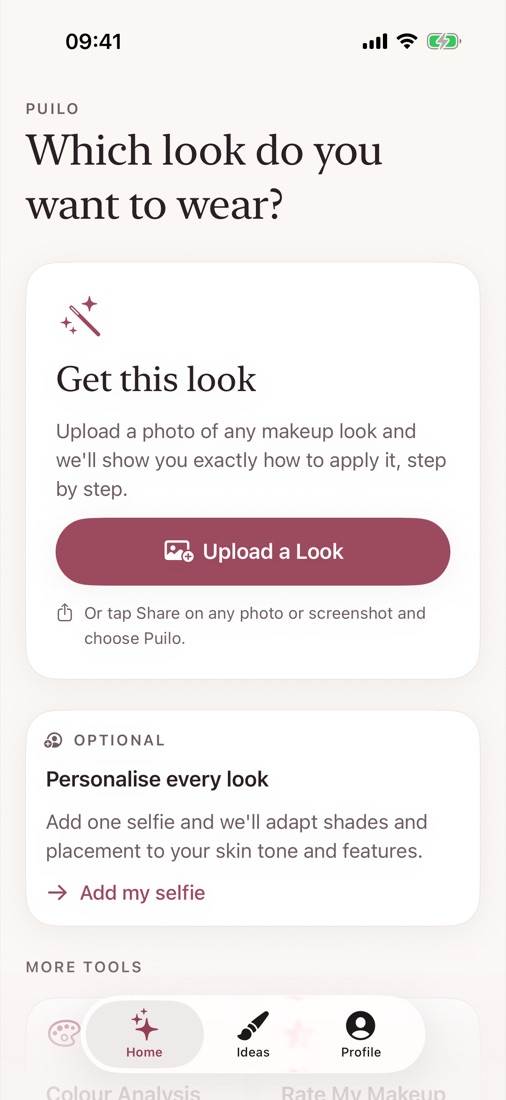
Tap Share on any photo, video or post in Instagram, TikTok, Pinterest or Photos and choose Puilo. Or upload one straight from your camera roll.
Makeup tutorials, made for your face
Saw a look on Instagram or TikTok? Share it to Puilo and get a step-by-step tutorial showing exactly how to recreate it on your face.
For iPhone. No account or email needed.
How it works
Tap Share on any photo, video or post in Instagram, TikTok, Pinterest or Photos and choose Puilo. Or upload one straight from your camera roll.
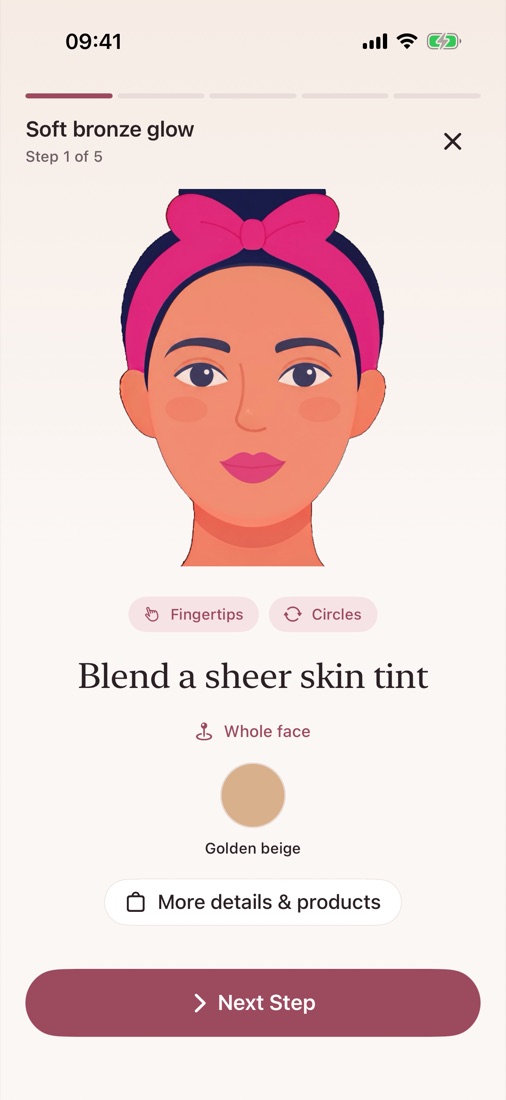
Puilo's AI works out each part of the look: base, eyes, cheeks and lips, with the shades, tools and techniques used.
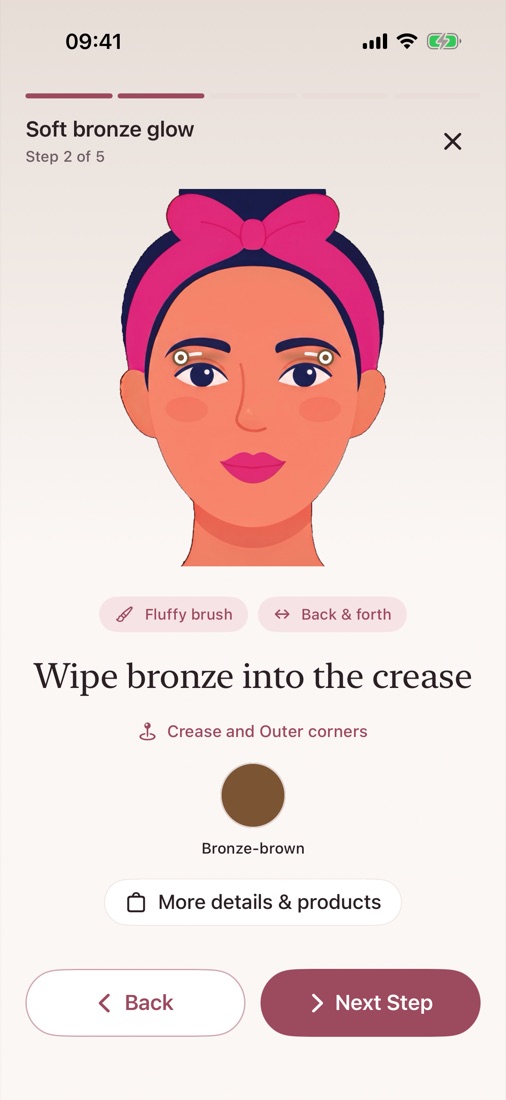
Go step by step at your own pace. A face diagram shows exactly where each product goes and how to blend it.
Guided tutorials
Everything in Puilo
Add one selfie, if you like, and Puilo adapts shades and placement to your skin tone and features.
Photos, videos and links from Instagram, TikTok, Pinterest and more. For videos, pick the best frame.
Clear steps in the right order, written for your experience level, from first-timer to pro.
Shades and placement tuned to your skin tone, undertone and features.
Discover the colours that suit you best, with makeup shades, jewellery and hair colour ideas.
Snap your finished look and get kind, constructive feedback: what's working and what to try next.
Keep the tutorials you love and come back to them whenever you get ready.
Privacy
Makeup is personal. Puilo is built to use as little of your data as possible.
Read our privacy policyPuilo Pro
Puilo Pro unlocks everything, with weekly, monthly and yearly plans. Prices are shown in the app in your local currency.
Subscriptions renew automatically and you can cancel anytime in your iPhone's Settings.
FAQ
Any app with a Share button: Instagram, TikTok, Pinterest, YouTube, Safari, Photos and more. You can share photos, videos and links. For a video, Puilo lets you pick the frame that shows the look best.
No. You can get tutorials without one. Adding a selfie is optional and lets Puilo adapt shades and placement to your skin tone and features.
Photos are checked on your iPhone, stripped of location and camera details, sent securely for analysis and deleted from our servers as soon as the analysis is done. They're never used to train AI. Read the privacy policy for the details.
No. Puilo gives cosmetic suggestions only. It doesn't diagnose skin conditions and isn't a substitute for a dermatologist or doctor.
No. Products are suggested by Puilo's AI to suit the step and your preferences. Links take you to shops or search results; Puilo doesn't sell products.
Open Settings on your iPhone, tap your name, then Subscriptions, and choose Puilo. Cancel at least 24 hours before your renewal date to avoid being charged for the next period.
In the app, go to Profile and tap Delete all my data. Your results, saved looks and preferences are erased from your phone and our servers, and the app starts fresh.
Puilo is coming soon to iPhone.
Coming soon to theApp Store